
Automatically assign calls
Automatically route callers to available colleagues based on availability schedules.

→ AI easily integrated into your existing business processes and customer service
→ No technical knowledge required; everything works straight away
→ Easily automate routine tasks

The AI Marketplace from Enreach is designed to make your work easier. Here you will find ready-made AI solutions, which we call Smart Apps, to improve your business processes and help you support your customers faster and better. These intelligent tools are ready to use straight away and fully integrated with Enreach. You also don’t need any technical knowledge to use them.
With Smart Apps, you can automate time-consuming tasks such as scheduling appointments, managing phone calls, or taking orders. Everything is designed to save you time and give your customers a better experience. Activating a Smart App is very simple: with just a few clicks, you’re ready to get started.
Whether you run a small business or manage a larger team, the AI Marketplace helps you work more efficiently and stay focused on what really matters. Customer enquiries are answered faster, conversations transition smoothly to WhatsApp, and you are always reachable.
You don’t need to worry about complicated settings – we’ve already taken care of everything for you. With the AI Marketplace, you bring innovation into your business that works from day one. Try it yourself and discover how easy it is to work smarter.
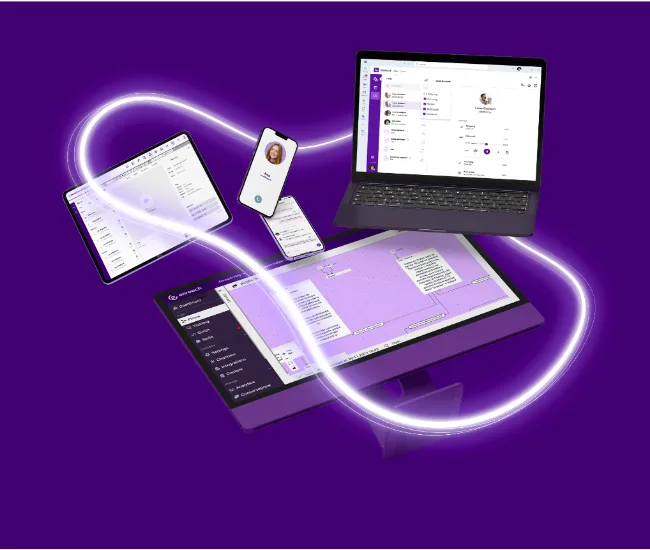
Discover our Smart Apps in the AI Marketplace
Automatically route callers to available colleagues based on availability schedules.

Ask callers one open-ended question and connect them directly to the right department or other communication channels.

Automatically capture caller notes for various situations, so colleagues can handle them later.

Provide a knowledge base with specialised information for first-line support, enhanced with ChatGPT intelligence.

Allow website visitors to ask questions via chat, WhatsApp or email.

Let callers leave messages for specific departments, which are sent by email.

Offer callers the option to handle their enquiries via WhatsApp, SMS or other channels, so they don’t have to wait.

Allow callers to place orders directly, which are processed at the optimal time.

Capture detailed Q&A interactions from callers and receive them by email or integrate them with other applications.
Integrating Smart Apps into your business strategy improves the way you communicate with customers. Our easy-to-implement chat applications strengthen your existing communication channels, just like telephony does. AI is included in your licence and works on any device, whether it’s a laptop, smartphone, desktop or via Teams – and of course within Enreach Contact.
With this accessible form of customer contact, you can connect with your customers more quickly, save time and costs, and manage all your customer communications from one central place. Smart Apps support your team, allowing them to focus on delivering excellent service. This way, you not only improve customer service but also drive business growth and innovation.

With AI, you can streamline and optimise your business processes effortlessly. Thanks to seamless integration with CRM and ERP systems, all your customer data is instantly available in one system, whether it’s telephony, chat, WhatsApp or AI-driven communication. Smart features such as automatic call routing, callback notes and voice-activated menus automate customer contact and direct enquiries straight to the right department or employee. No more time lost on scheduling, no interns for data entry – everything is taken care of. Smart Apps take work off your hands so you can focus on what really matters: your business and your customers.

Have you ever wanted a personal assistant to support you in all your customer interactions? With Smart Apps, you can respond quickly and effectively to customer needs, leading to higher customer satisfaction. Features such as a smart knowledge base for support questions and website chat ensure that customers receive instant answers, regardless of the channel. The option for customers to contact you via their preferred platform – whether chat, WhatsApp or phone – creates convenience and a truly customer-focused experience. By enabling smart voice-driven surveys after conversations, you can also collect targeted feedback and further improve your service.

Thanks to Smart Apps, routine enquiries are handled automatically and customers are directed more quickly to the right people, reducing the workload for your employees. Automated features such as converting calls to WhatsApp, smart business voicemail and the order assistant help to efficiently capture and route customer enquiries. This allows employees to focus on more complex tasks and deliver a higher quality of service without being overloaded. With the Enreach AI Marketplace, you are always online.

Smart Apps enable you to automate customer contact, saving time and ensuring a consistent customer experience. Features such as the voice-activated menu and the ability to convert calls to WhatsApp or SMS allow you to handle customer enquiries without the immediate involvement of a staff member. This ensures your customers are directed straight to the right channels.
Whether it’s scheduling follow-up calls or registering customer requests via callback notes, Enreach AI ensures continuous accessibility and improves the efficiency of your customer communications.
Where do you use Enreach AI?
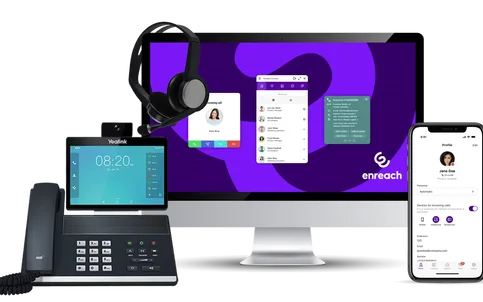
The AI Marketplace is flexible and can be used in a wide range of situations: from busy periods and recurring support enquiries to peak workloads and support outside business hours. Automations such as repeat orders and customer satisfaction surveys run smoothly with Smart Apps, ensuring customers are helped quickly – even during holidays.
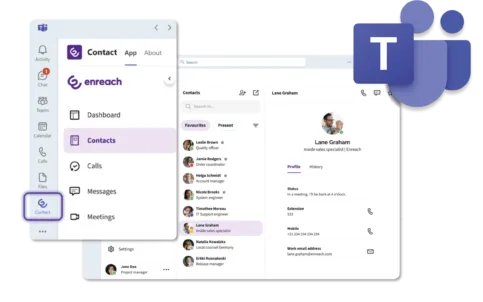
The AI Marketplace integrates seamlessly with Microsoft Teams, allowing customer communication to take place directly within your familiar working environment. With Smart Apps in Teams, you can handle customer enquiries via telephony, chat and WhatsApp without switching platforms. This allows you to quickly collaborate with colleagues, access customer data and provide support – all in one place within Teams. This makes customer contact more efficient and keeps your team connected and focused.
Smart Apps are fully mobile-ready, so you can stay reachable for customer contact anytime and anywhere. Through your smartphone or tablet, you can manage and respond to customer enquiries via telephony, chat or WhatsApp – without being tied to your desk. This allows you to work flexibly, keep customer information at your fingertips, and respond quickly to questions or requests, even on the go.
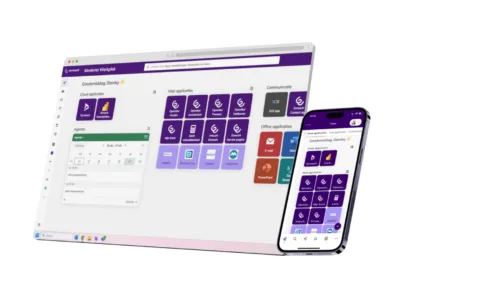
Smart Apps also work seamlessly in the web browser, allowing you to manage all customer contact and communication processes from any computer. Through the browser, you have direct access to the Studio and Inbox, where you can easily manage conversations, messages and workflows. Whether you want to adjust your settings or respond to customer enquiries, Smart Apps provide a central place in your browser to keep everything running smoothly and clearly organised.